An engineering team may work in Microsoft Teams, SharePoint, Autodesk platforms, email, a local file server, and a client-controlled project environment during the same workday.
Each platform may be secure on its own. That doesn’t mean the firm has consistent control over who can access project information, which devices they can use, how activity is monitored, or what happens when a critical repository becomes unavailable.
The challenge grows as firms add regional offices, consultants, field teams, joint ventures, and acquired companies. One branch may require named guest accounts. Another may still use public links. A project manager may assume IT removes a subconsultant at closeout, while IT has no way to know the subconsultant’s work has ended.
External sharing is necessary. Permission sprawl is not.
Secure cloud collaboration requires a repeatable operating model that protects identities, project information, devices, external access, and recoverability across every office and project.
Why secure cloud collaboration is different in an engineering firm
Engineering firms manage a wider range of project information than a typical office environment. A single project may include:
- Drawings, models, calculations, and specifications
- Survey, field, inspection, and laboratory data
- Working files and issued deliverables
- Client-confidential or contract-restricted information
- Photos, reports, correspondence, and evidentiary records
- Controlled unclassified information or other regulated data
That information moves among employees, clients, subconsultants, contractors, laboratories, government partners, and joint ventures. Some participants work within the engineering firm’s environment. Others work through a client’s tenant or a project platform controlled by another organization.
The information may also need to remain available for years after active design work ends. A permissions mistake during delivery can become a records problem at closeout. A recovery gap can affect an active deadline today and an evidentiary request years later.
CISA’s Secure Cloud Business Applications project reflects the broader security principle involved: cloud adoption must be supported by deliberate configuration, identity controls, visibility, and security practices. Buying a cloud platform doesn’t establish those controls automatically. [1]
For an engineering firm, the consequences are operational. If a project team loses access to current drawings, calculations, reports, or models, the schedule keeps moving while the team tries to recover. If an external account remains active after a consultant leaves, the firm may struggle to explain who retained access and why.
That makes AEC cloud security a project-continuity and client-trust responsibility, not a narrow IT concern.
The six layers of a secure cloud collaboration framework
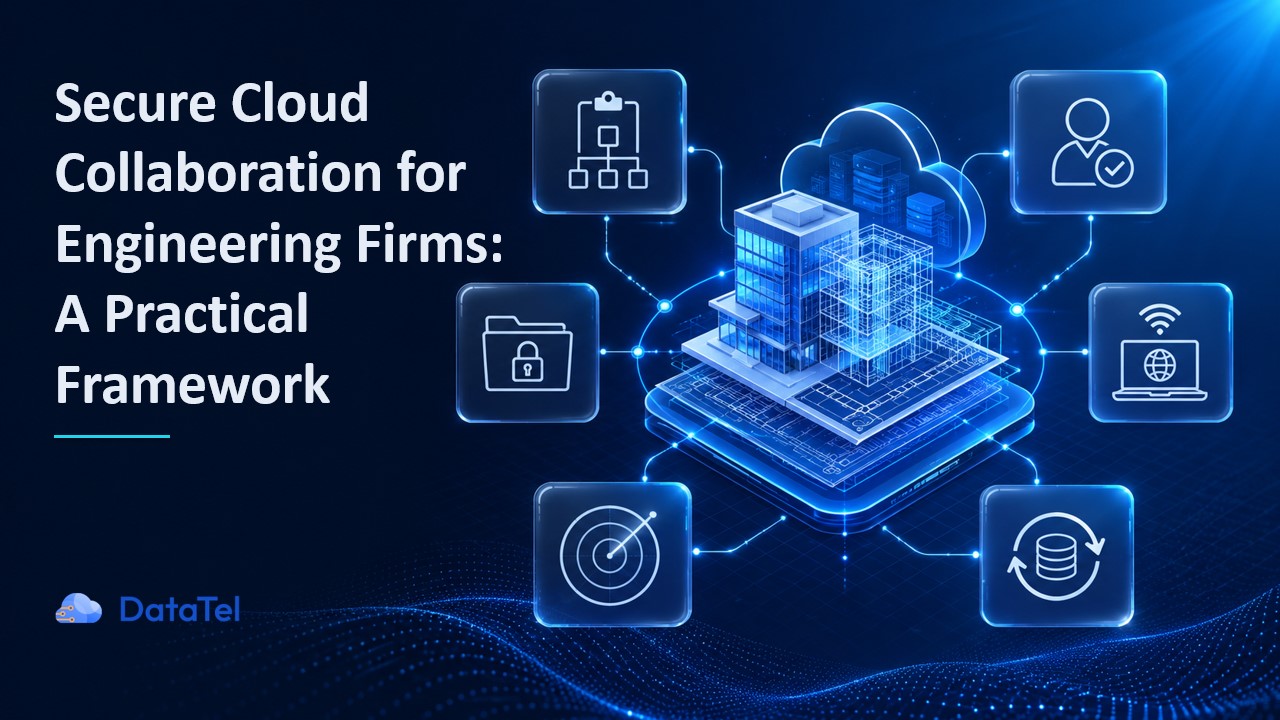
A practical cloud collaboration framework should address six connected layers:
- Governance
- Identity
- Project access
- Devices and connectivity
- Monitoring and response
- Recovery and continuity
These layers follow the risk-management logic of the NIST Cybersecurity Framework 2.0, which organizes cybersecurity outcomes around governing, identifying, protecting, detecting, responding, and recovering. [2] NIST designed the framework for organizations of different sizes, sectors, and maturity levels, without prescribing one technical implementation.
The distinction matters. Engineering firms don’t need another list of disconnected security settings. They need an operating model that connects technical controls to project decisions.
A strong Microsoft 365 configuration won’t solve unclear project ownership. Endpoint protection won’t remove a consultant whose engagement ended six months ago. Monitoring won’t preserve project continuity unless the response plan identifies which files and systems must recover first.
Each layer supports the others.
Layer 1: Establish governance before changing platforms
Many collaboration problems first appear as technical issues:
- A guest has too much access.
- A project site has no active owner.
- An acquired office uses a separate storage platform.
- A public link remains available after closeout.
- No one knows whether an archived folder is authoritative.
Changing a setting may correct the immediate exposure. It won’t prevent the same problem from returning on another project.
Governance defines how the firm makes these decisions consistently.
Define what information needs protection
Start by identifying the information that supports project delivery, contractual obligations, and records retention. Avoid treating every file as equally critical.
Your categories may include:
- Active working information
- Shared coordination information
- Published or issued deliverables
- Field and laboratory records
- Client-confidential information
- Regulated or contract-restricted information
- Archived project records
The classification should influence where information is stored, who may access it, whether downloads are allowed, how long access lasts, and how the firm backs it up.
A current coordination model and an issued final record may sit in the same platform, but they don’t serve the same purpose. They may require different permissions, retention rules, and recovery priorities.
Assign business and technical ownership
IT can secure the tenant, manage identities, establish device standards, maintain logging, and support recovery. IT usually can’t determine whether a civil subconsultant still needs access to a project folder or whether a model belongs in the working, shared, or published environment.
Those decisions require business context.
A workable division of responsibility often looks like this:
- IT owns tenant controls, identity systems, device standards, logging, backup, and technical recovery.
- Project managers approve project participation and report access changes.
- BIM/VDC teams govern project structures, templates, model environments, and permission design.
- QA/QC teams define records, closeout, archive, and retention requirements.
- Executives approve policy, investment, exceptions, and accepted risk.
The firm should document this division rather than relying on informal assumptions. The engineering project-file security RACI provides a more detailed model for assigning responsible, accountable, consulted, and informed roles.
Layer 2: Manage identity across the full user lifecycle
An identity is more than an employee account. Engineering collaboration environments may include:
- Employees and new hires
- Departing or transferred staff
- Subconsultants and contractors
- Temporary project participants
- Client and joint-venture users
- Acquired-company accounts
- Privileged administrators
- Service and application accounts
Each identity has two overlapping lifecycles.
The employment or business lifecycle begins when a person joins the organization or establishes a relationship with it. The project lifecycle begins when the person joins a specific project and ends when that work is complete.
A subconsultant may continue working with the firm while leaving one project. An employee may remain with the company but transfer to another region or business unit. An acquired employee may temporarily hold accounts in two tenants during integration.
Access should change with those events.
NIST describes identity and access management as ensuring that the right people and systems have access to the right resources at the right time. Its guidance also treats identity as a lifecycle responsibility rather than a one-time account-creation task. [3]
In practice, that means the firm needs reliable processes for:
- Creating and approving accounts
- Applying multifactor authentication and access policies
- Assigning project roles
- Reviewing privileged access
- Changing access after transfers or role changes
- Removing project permissions promptly
- Disabling accounts after departure
- Reviewing inactive guests and service accounts
Human resources may know that an employee has left. The project manager may know that a consultant’s scope has ended. IT may control the directory. A secure process connects those facts quickly enough to change access before it becomes a problem.
Layer 3: Govern external sharing at every control level
External sharing is rarely controlled by one switch.
In Microsoft 365, sharing behavior depends on the interaction among organization-wide settings, individual site settings, guest identities, groups, folders, files, and sharing links. Microsoft notes that SharePoint applies controls at both the organization and site levels, with the more restrictive setting taking precedence. [4]
For an engineering firm, that creates several decision points:
- What is the broadest type of sharing the organization will allow?
- Which sensitive project sites need tighter restrictions?
- When should the firm require an authenticated guest identity?
- Who may invite external participants?
- Should the user view, edit, or download the information?
- How long should access remain active?
- Who reviews access during delivery and at closeout?
The organization-wide setting establishes the maximum. It shouldn’t become the default for every project.
A low-sensitivity marketing library and a confidential infrastructure project may both use SharePoint, but they shouldn’t inherit identical external-sharing rules simply because the platform supports them.
Authenticated guest accounts generally provide stronger governance than anonymous links because the firm can identify the recipient, apply access requirements, review activity, and remove the identity centrally. A temporary link may still be appropriate for a specific exchange, provided the owner understands its scope, expiration, and download behavior.
The Microsoft 365 external-sharing guide for engineering teams covers the platform controls in greater detail.
Layer 4: Protect field users, branches, and remote access
Engineering work happens outside a controlled corporate office.
A geotechnical engineer may connect from a job trailer. An inspector may upload field documentation from a hotel network. A regional branch may have limited local IT support. A laptop may return from weeks of field work with delayed updates and locally stored project files.
The firm still needs consistent control over the identity, device, and connection.
A secure operating model should answer:
- Is the device inventoried and managed?
- Is its operating system supported and current?
- Is storage encrypted?
- Does endpoint protection cover the device?
- Can IT isolate or wipe it remotely?
- Does access change when device risk increases?
- Can the user connect securely outside the office?
- Are local project-file copies controlled and recoverable?
Access decisions should consider more than a correct password. A valid account connecting from an unmanaged or high-risk device creates a different level of exposure than the same account connecting from a managed workstation.
A zero-trust access model can apply conditional and location-aware policies to remote and on-site users while limiting unnecessary network access. [5]
The same principle applies during cloud modernization. In one DataTel client engagement, the organization combined Microsoft Entra ID, Microsoft Intune, identity-based access, device management, and continued oversight of remaining on-premises systems. The work followed the organization’s actual transition rather than assuming every legacy dependency could disappear at once. The client’s cloud modernization experience illustrates how identity and device management can develop together.
Layer 5: Detect activity that preventive controls can’t stop
A successful login doesn’t always indicate a legitimate user.
An attacker may steal credentials, intercept a session, compromise a trusted account, or persuade a user to approve a malicious application. Once inside, the attacker’s activity may resemble normal collaboration:
- Opening SharePoint files
- Searching project folders
- Sending messages from a real mailbox
- Creating new sharing links
- Inviting external users
- Downloading project information
- Using a trusted account to send project-themed phishing messages
Preventive controls reduce the likelihood of compromise. Monitoring helps the firm recognize when those controls have been bypassed.
Useful signals may come from several environments:
- Authentication and identity
- Microsoft 365 and other cloud platforms
- Endpoints
- File access
- Applications
- Network connections
An isolated alert may look harmless. A new login location, unusual file access, mailbox activity, and a suspicious endpoint event occurring close together tell a different story.
Todyl describes an identity threat detection and response model that collects Microsoft 365 logs, evaluates changes in account behavior, and supports response actions such as revoking or disabling a potentially compromised account. [6]
The firm also needs a business response plan. Security personnel can contain the account, but the project team may need to determine:
- Which projects the user could access
- Whether issued or authoritative files changed
- Which clients require notification
- Whether a deadline is at risk
- Which temporary collaboration method can keep work moving
- What evidence must be preserved
Detection becomes operationally useful when it leads to a coordinated response, not another alert waiting in a queue.
Layer 6: Prioritize project-system recovery
Recovery plans often focus on infrastructure categories: servers, applications, endpoints, or cloud environments.
Engineering firms should also define recovery in project terms.
Ask:
- Which repositories keep active projects moving?
- Which systems contain issued or evidentiary records?
- Which upcoming deadlines depend on each repository?
- What must recover before general office applications?
- Can the firm restore permissions, versions, and folder structures along with files?
- Can project teams work safely while recovery continues?
- When did the firm last test the process?
A backup confirms that a copy exists. A recovery test confirms that the organization can restore what people need, within a useful timeframe, and with the right access intact.
The recovery sequence may also vary by event. A regional outage may call for different priorities than a compromised tenant or destructive account activity. The response team should know who can set those priorities during an incident.
The goal isn’t to promise uninterrupted access under every condition. It is to reduce uncertainty and give leadership a tested path for protecting active delivery.
Standardize the framework across branches and acquisitions
A framework creates value when the firm can repeat it.
Without a common model, every office, project, and acquisition adds another set of identities, settings, storage practices, and exceptions. Internal IT spends more time interpreting inherited environments. Project teams face different rules depending on which branch owns the work.
Standardization should include:
- Baseline identity and access controls
- Approved collaboration platforms
- Consistent project templates
- Device and remote-access standards
- Named ownership for sites and repositories
- Common monitoring and response procedures
- Tested backup and recovery practices
- Documented exceptions with owners and review dates
- A repeatable process for onboarding branches and acquired firms
Standardization doesn’t require every project to operate identically. Federal work, confidential client engagements, joint ventures, and client-controlled environments may require different controls.
The difference is that leadership approves and documents those variations. The firm doesn’t inherit them accidentally.
DataTel’s work with UES shows how a phased approach can support that goal. DataTel began with one acquisition, refined the model through successive integrations, and ultimately brought 30 acquired companies into one tenant and a common operating framework. Collaboration, file storage, and security were standardized across the organization. The UES case study documents the phased rollout and operating model.
A 90-day implementation sequence
A firm doesn’t need to redesign every collaboration environment at once. The first 90 days should establish visibility, correct the highest-risk gaps, and create a process the organization can sustain.
Days 1–30: Build an accurate inventory
Identify:
- Users, administrators, guests, and service accounts
- Microsoft 365 tenants, domains, Teams, groups, and sites
- BIM, CAD, and common data environments
- Project-file repositories and local servers
- Managed and unmanaged devices
- Remote-access methods
- Critical active projects
- Repositories with contractual or retention requirements
- Backup coverage and current recovery procedures
Assign an owner to each major platform and critical project environment. Flag sites with no active owner, broad sharing, inactive guests, or unclear recovery coverage.
Days 31–60: Resolve high-risk gaps
Prioritize conditions that create an active project, client, or business risk.
Typical actions include:
- Removing former employees and project participants
- Reviewing privileged and administrator accounts
- Restricting anonymous or overly broad links
- Applying stronger controls to sensitive project sites
- Enrolling uncovered devices
- Correcting inconsistent multifactor authentication
- Confirming monitoring coverage
- Assigning recovery priorities
- Testing the response to a compromised user account
Document any risk that can’t be corrected immediately. Name the person who accepted it, the temporary safeguard, and the review date.
Days 61–90: Make the process repeatable
Turn the initial cleanup into normal operations.
Establish:
- A standard project-site setup process
- Defined guest approval and removal steps
- Quarterly external-access reviews
- Joiner, mover, and leaver coordination
- Project closeout requirements
- Branch and acquisition onboarding standards
- Incident escalation procedures
- Recovery tests and reporting
- Metrics for executive review
At this stage, the firm should be able to explain how a new project, user, consultant, branch, or acquired company enters the environment and how access ends.
Measure maturity by what the firm can repeat
A useful maturity model focuses on observable behavior.
Reactive
Teams correct permissions after someone reports a problem. Site ownership varies. Access removal depends on individual memory. Recovery plans exist but haven’t been tested against project needs.
Controlled
The firm has baseline settings, managed identities, device standards, and assigned technical owners. High-risk sharing is limited, but reviews and project-level practices remain inconsistent.
Repeatable
New projects use standard structures. External access follows an approval and review process. Branches use common controls. Incident and recovery responsibilities are documented and tested.
Measurable
Leadership receives useful operating data. Teams can identify where exceptions remain, how quickly access is removed, whether critical repositories can recover, and how long branch or acquisition integration takes.
The purpose of measurement is to guide decisions. A large dashboard with weak ownership creates more reporting work. A smaller set of operational metrics can reveal where the framework is holding and where teams need support.
What good looks like
A mature secure cloud collaboration program should help the firm answer practical questions without launching a lengthy investigation:
- Who owns each critical project environment?
- Which external users currently have access?
- How quickly can the firm remove a former participant?
- What percentage of field and remote devices are managed?
- How many high-risk public links remain?
- Which repositories support the most urgent project deadlines?
- How long would restoration take?
- When did the firm last test account containment?
- How quickly can a new branch or acquisition adopt the standard environment?
Useful metrics may include:
- Percentage of external users reviewed each quarter
- Managed endpoint coverage
- Percentage of remote access protected by multifactor authentication and access policies
- Number of anonymous or high-risk sharing links
- Time required to remove former project participants
- Tested recovery time for project-file repositories
- Number and age of documented exceptions
- Time required to integrate a new office or acquired company
Secure cloud collaboration doesn’t require project teams to stop sharing information. It gives them a safer, more consistent way to do the work their projects already demand.
Start by completing the Engineering Cloud Collaboration Risk Scorecard. Use the findings to identify the identity, access, device, ownership, monitoring, and recovery gaps that deserve attention first.
For help turning those findings into an operating plan, explore DataTel’s secure cloud collaboration services.