Most engineering firms cannot stop external sharing. Their projects depend on it.
A project manager may need to send current drawings to a subconsultant before a coordination meeting. Field staff may upload reports from a job site. A client may require the design team to work inside a client-controlled platform. Joint-venture partners may need access for months, then leave the project before closeout.
The practical question is not whether people will share files. It is whether the firm can identify who has access, what they can reach, which device they are using, and how quickly that access can be removed.
The most serious cloud collaboration risks usually don’t begin with an obscure technical flaw. They grow from ordinary project practices: a link created to meet a deadline, a guest account nobody removed, a field laptop outside the device standard, or an acquired office still operating in a separate tenant.
Each decision may appear reasonable on its own. The exposure develops when identity, permissions, devices, ownership, and monitoring vary across projects and offices.
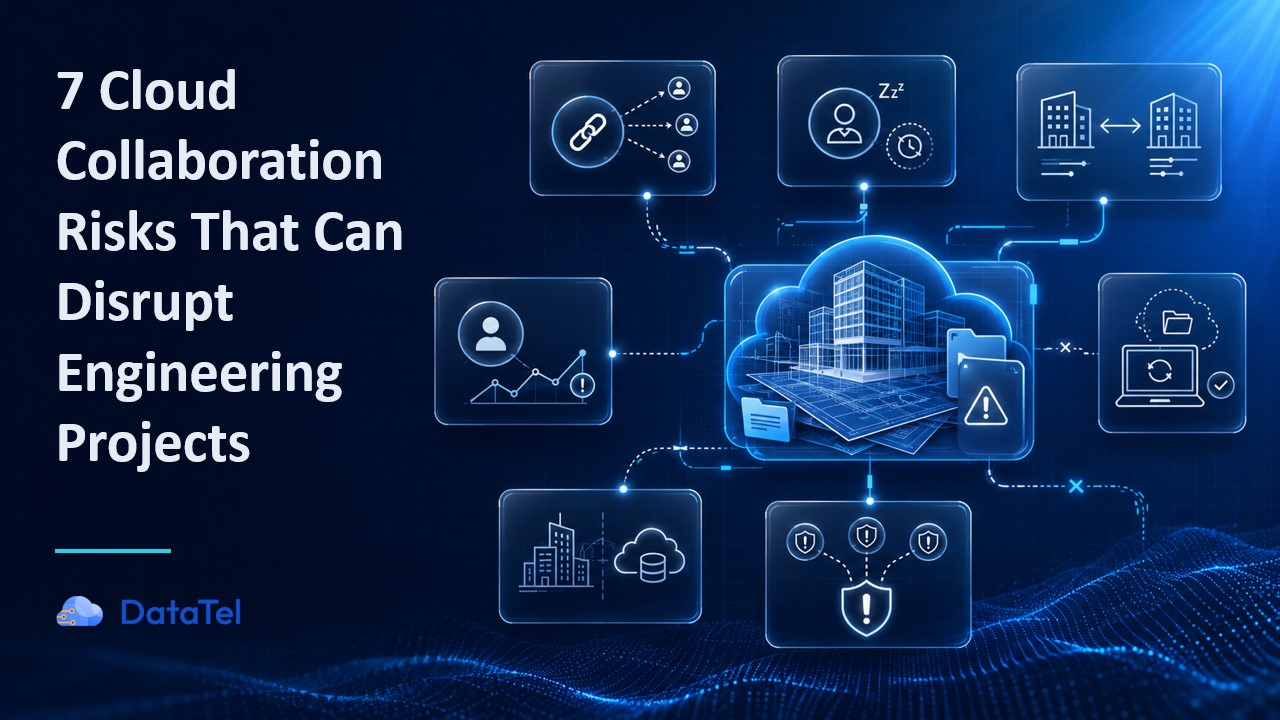
Risk one: Links are broader than the project team realizes
A link feels controlled when the person creating it sends it to a known recipient. The sharing configuration may tell a different story.
Depending on the platform and settings, the link may:
- Work for anyone who receives it
- Allow the recipient to download a local copy
- Remain valid after the original task is complete
- Be forwarded to someone outside the intended project team
- Provide access to more files than the sender realized
Autodesk Docs, for example, supports sharing files and folders with project members, another project, or anyone with the link.[1] That flexibility helps teams move information quickly, but the person sending the link needs to understand which sharing method they selected and what the recipient can do.
The risk often outlives the reason for sharing. A project team may create a link before a design review, then forget about it once the meeting ends. The link remains active through the next milestone, a staffing change, or project closeout.
A forwarded link also changes the audience without creating an obvious project event. The original sender may still see one link and one file, even though several people have received access.
Risk two: Guest accounts remain after the work ends
Guest access often begins with a valid business need. A specialist joins for a limited scope, a laboratory submits test results, or a client representative reviews a deliverable.
Removing that access requires someone to recognize when the need has ended.
Project managers usually know when a consultant has completed the work. IT controls the identity platform but may never receive that project update. At closeout, the project team may focus on final deliverables, archives, invoices, and lessons learned. Guest-account removal falls between responsibilities.
Months later, the firm may still have active external accounts tied to people who:
- Completed their scope
- Changed employers
- Left the client or consulting organization
- Moved to another project
- No longer need the same level of access
CISA identifies incorrectly applied privileges, permissions, and access-control lists among the weak security practices attackers routinely exploit.[2] A stale account may not cause an immediate incident, but it expands the number of identities the firm must trust, monitor, and investigate.
The problem becomes harder when users receive access through several routes. Removing someone from one project team may not remove access inherited through a group, folder, another site, or a separate tenant.
Risk three: Sites, branches, and tenants follow different rules
A distributed engineering firm may have strong controls in one environment and weak controls in another.
One branch requires named guest accounts. Another permits anonymous links. A recently acquired company still uses its original identity provider. Logging covers the main Microsoft 365 tenant but not a separate collaboration platform. Multifactor authentication applies to employees in one business unit while legacy accounts follow older policies.
The result is not one security posture. It is a collection of local practices that happen to sit under the same company name.
CISA created the Secure Cloud Business Applications project to help organizations assess and strengthen cloud configurations using consistent security baselines.[3] The guidance reflects a problem that extends beyond any single product: cloud security depends on how identity, access, logging, and application settings work together.
Variation also weakens reporting. An IT leader may answer a client questionnaire based on the primary tenant while several acquired offices, project sites, or external platforms follow different controls.
The firm then has two problems. It has the configuration gap itself, and it cannot describe its exposure with confidence.
Risk four: A compromised account still looks like a collaborator
Project teams learn to trust familiar names, email addresses, and file-sharing notifications. An attacker who compromises a legitimate account inherits some of that trust.
The attacker may send a project-themed message from a real mailbox, place a malicious file in SharePoint, create a new sharing link, or review existing project information before contacting another member of the team.
The message may refer to an actual client, deadline, or document. It can arrive inside an existing email thread. To the recipient, it looks different from the obvious phishing messages covered in annual training.
Todyl has documented a business email compromise scenario in which attackers captured Microsoft 365 credentials, then accessed the victim’s Microsoft 365 and SharePoint environment rather than immediately taking over email.[4] This type of legitimate-account abuse can blend into normal collaboration activity, especially when teams exchange links and files throughout the day.
Multifactor authentication remains an important safeguard, but no preventive control removes every path to account compromise. The firm also needs to recognize unusual behavior after a successful login and understand which projects the account could reach.
Find your highest-priority gaps
The Engineering Cloud Collaboration Risk Scorecard reviews identity, external access, project permissions, devices, recovery, and acquisition readiness. Use it to identify the three areas that need attention first.
Risk five: Field and employee devices fall outside the standard
Cloud access moves the project repository out of the office. It doesn’t remove the device from the security equation.
Field laptops and mobile devices face conditions that office workstations may not:
- Updates may be delayed during long assignments.
- Staff may connect through hotel, client, home, or job-site networks.
- Project files may remain in local folders for offline work.
- Teams may share devices during inspections or testing.
- A lost laptop may contain synchronized or downloaded information.
- A departing employee may still have data stored outside the project platform.
Small branches may also lack local IT support. When a device behaves suspiciously, the firm needs to identify it, reach it, and isolate it without waiting for the employee to return to a main office.
A device that isn’t inventoried creates a basic visibility problem. IT can’t confirm its patch status, encryption, endpoint protection, user assignment, or local data. During an incident, the team may spend its first hours determining whether the device is covered at all.
DataTel’s device management services include monitoring, automated updates, and remote-wipe capabilities for lost, stolen, or reassigned devices. These controls help firms apply the same expectations to office, field, and remote users.
Risk six: Acquisitions create collaboration and security debt
An acquisition adds more than employees and offices. It can add:
- Another Microsoft 365 tenant
- Legacy administrator accounts
- Separate domains and identity systems
- Local file servers
- Different BIM and CAD platforms
- Unmanaged guest accounts
- Inconsistent backup methods
- Different device standards
- Overlapping security and support products
Projects still need to move while the firms integrate. Teams create temporary connections, duplicate accounts, cross-tenant access, and manual workarounds to keep people productive.
Some temporary measures remain in place because there is always another deadline. Over time, nobody is certain which identity is authoritative, which repository contains the current file, or which team owns recovery for a legacy system.
UES encountered this problem as successive acquisitions introduced disparate technologies and inconsistent approaches to file storage, collaboration, and security. DataTel first worked with UES on one integration, then applied the model across later acquisitions. The engagement ultimately brought 30 acquired companies into one tenant and a common operating framework. The UES case study shows how rapid acquisitions created an inconsistent IT environment and how the firms standardized it.
Not every engineering firm will need the same architecture. The UES experience shows why each acquisition becomes harder when the acquiring firm hasn’t established a target model for identity, collaboration, storage, devices, and security.
Risk seven: Isolated alerts hide the full incident
A single unusual login may not justify an immediate escalation. Neither will one unexpected file download, a new inbox rule, or a suspicious process on a laptop.
When those events involve the same user within a short period, they may describe one incident:
- Someone signs in from an unfamiliar location.
- The account opens several project folders.
- Files are downloaded or shared externally.
- The user’s mailbox sends a project-related message.
- An endpoint begins making unusual network connections.
Separate identity, cloud, endpoint, email, and network systems may each see one part. If nobody connects them, every alert can appear too minor to explain the attacker’s activity.
Todyl’s Detection and Analysis Engine combines identity, endpoint, network, cloud, and collaboration signals so analysts can evaluate related events as one investigation. Its documented use cases include Microsoft 365 activity, email behavior, file access, Microsoft Teams actions, endpoint activity, and network telemetry.[5]
For a project-driven organization, that context affects the business response. The firm needs to know which repositories the user reached, whether authoritative files changed, which clients may be affected, and whether containment will interrupt active work.
An alert becomes useful when the response team can connect it to a person, device, project, and decision.
What these risks cost an engineering firm
Cloud collaboration risk reaches different leaders in different ways.
Managing principal: A client may question whether the firm can protect confidential project information or explain an access incident. The damage is not limited to one file. It can affect confidence in the firm’s judgment and operating discipline.
Chief operating officer: A locked account, unavailable repository, or containment decision may stop a project team during a deadline. Regional variation also makes it harder to move staff between offices and maintain a consistent client experience.
IT leader: Fragmented systems increase investigation and recovery time. Staff must search separate consoles, contact local administrators, reconstruct old permissions, and determine which controls applied to the affected user.
CFO, legal, and risk teams: Insurance claims, client contracts, regulatory obligations, and notification decisions require evidence. The firm may need to show who had access, what happened, when the team responded, and which safeguards were active.
Project manager or BIM/VDC leader: The immediate concern is whether the team can trust and use its files. Unavailable, altered, duplicated, or incorrectly permissioned information can lead to rework and schedule pressure.
NIST’s Protect function calls for organizations to manage information and records according to risk while preserving their confidentiality, integrity, and availability.[6] For an engineering firm, those three qualities are visible in daily project work: only approved people can reach the information, the team can trust its contents, and the files remain available when delivery depends on them.
Five actions to take first
A full collaboration program takes time. These five reviews can show where the firm has immediate exposure.
- Review external users. Identify active guests across major project sites and confirm that each person still needs access. The Microsoft 365 external-sharing guide explains the platform controls that affect guest identities, sites, groups, and links.
- Restrict anonymous links. Find links that don’t require a named, authenticated recipient. Confirm whether their scope, download rights, and expiration match the project need.
- Confirm field-device coverage. Compare the device inventory with employees, field assignments, and branch locations. Investigate devices that lack current patching, encryption, endpoint protection, or remote isolation.
- Assign project-site ownership. Every active project environment needs someone who can approve participation and recognize when access should change. The secure cloud collaboration framework explains how business and technical ownership fit together.
- Test the response to a compromised account. Choose a realistic scenario and walk through session revocation, account containment, project-access review, stakeholder communication, and continuity planning.
The secure BIM, CAD, and project-document sharing checklist can turn these reviews into a repeatable assessment for project launch, staffing changes, major milestones, and closeout.
Cloud collaboration doesn’t become risky because engineering teams share information. Risk accumulates when the firm cannot see where that information went, who can still reach it, or how the team will respond when a trusted account or device is no longer trustworthy.
Complete the Engineering Cloud Collaboration Risk Scorecard to identify which gaps could affect projects first.